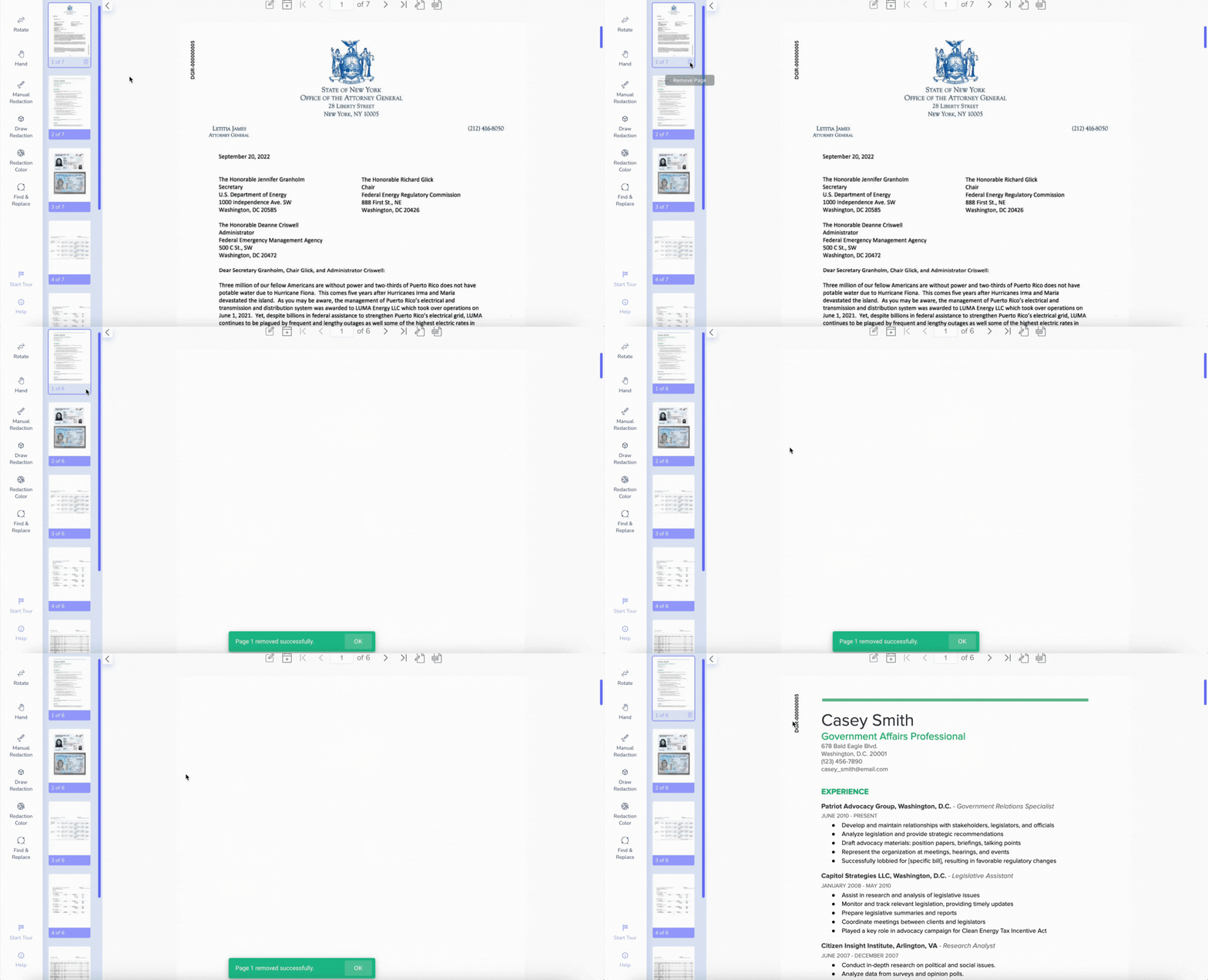
To remove a page from your redacted document:
Navigate to the left page preview panel.
Hover over the page you want to remove.
A trash can icon will appear.
Click the trash can to delete the page from the document.
If you have additional questions, please email us at support@redactable.com.
Was this article helpful?
That’s Great!
Thank you for your feedback
Sorry! We couldn't be helpful
Thank you for your feedback
Feedback sent
We appreciate your effort and will try to fix the article